 GEAR
GEARRanked · 2 picks
CS2 Launch Options & FPS Optimization Guide (2026)
Optimizing Counter-Strike 2 requires clean Steam launch options and competitive video settings. This guide covers verified launch commands, in-game graphic tweaks, and the hardware necessary to maintain high framerates.
Published 30 August 2026 · Updated 30 August 2026Affiliate links
Essential CS2 Steam Launch Options
Steam launch options allow you to bypass intro videos, set process priority, and optimize CPU thread allocation before the Source 2 engine initializes.
Recommended Launch Commands:
-novid -high +cl_forcepreload 1 -nojoyCommand Breakdown:
-novid: Skips the Valve logo animation at startup for faster loading.-high: Grants CS2 high CPU priority in Windows process management.+cl_forcepreload 1: Forces map assets and models into RAM during loading to prevent stutter during gunfights.-nojoy: Disables joystick support, reclaiming CPU cycles and memory.
Optimal In-Game Video Settings for Maximum FPS
To maintain a steady 240+ FPS during heavy smokes and executes on maps like Inferno or Ancient, use the following competitive graphic settings:
- Main Resolution: 1280×960 (4:3 Stretched) or 1920×1080 (16:9 Native)
- Advanced Video Settings:
- Global Shadow Quality: Medium (allows seeing enemy shadows around corners)
- Model / Texture Detail: Low
- Texture Filtering Mode: Anisotropic 4X or Bilinear
- Shader Detail: Low
- Particle Detail: Low
- Ambient Occlusion: Disabled
- High Dynamic Range (HDR): Quality
- Nvidia Reflex Low Latency: Enabled + Boost
Hardware Synergy: Why Framerates Need High Refresh Monitors
Generates 300 FPS in Source 2 is only half the battle. If your display operates at 60Hz, you only see 60 images per second despite the GPU generating more.
Upgrading to a 180Hz or 240Hz gaming monitor ensures that every frame generated by your system is physically displayed, lowering motion blur during fast 180-degree flicks.
Z-Edge 27" 300/240Hz
Z-Edge
240Hz-class speed on a 27-inch curved VA panel, with an overclock headroom to 300Hz. The 4000:1 static contrast is the real differentiator: dark corners in CS2 maps like Mirage and Anubis hold enough shadow detail to read a silhouette.
- Refresh Rate
- 300 Hz (240 Hz native)
- Response Time
- 1 ms
- Contrast Ratio
- 4000:1
- Screen Size
- 27 inch 1080p
- 240Hz native with 300Hz overclock headroom — past the threshold where motion blur stops being readable during fast flicks
- 4000:1 static contrast is roughly four times a typical IPS panel, which is what makes unlit corners legible rather than grey mush
27 inch at 1080p is about 82 pixels per inch — text and distant detail are visibly softer than on a 1440p panel of the same size
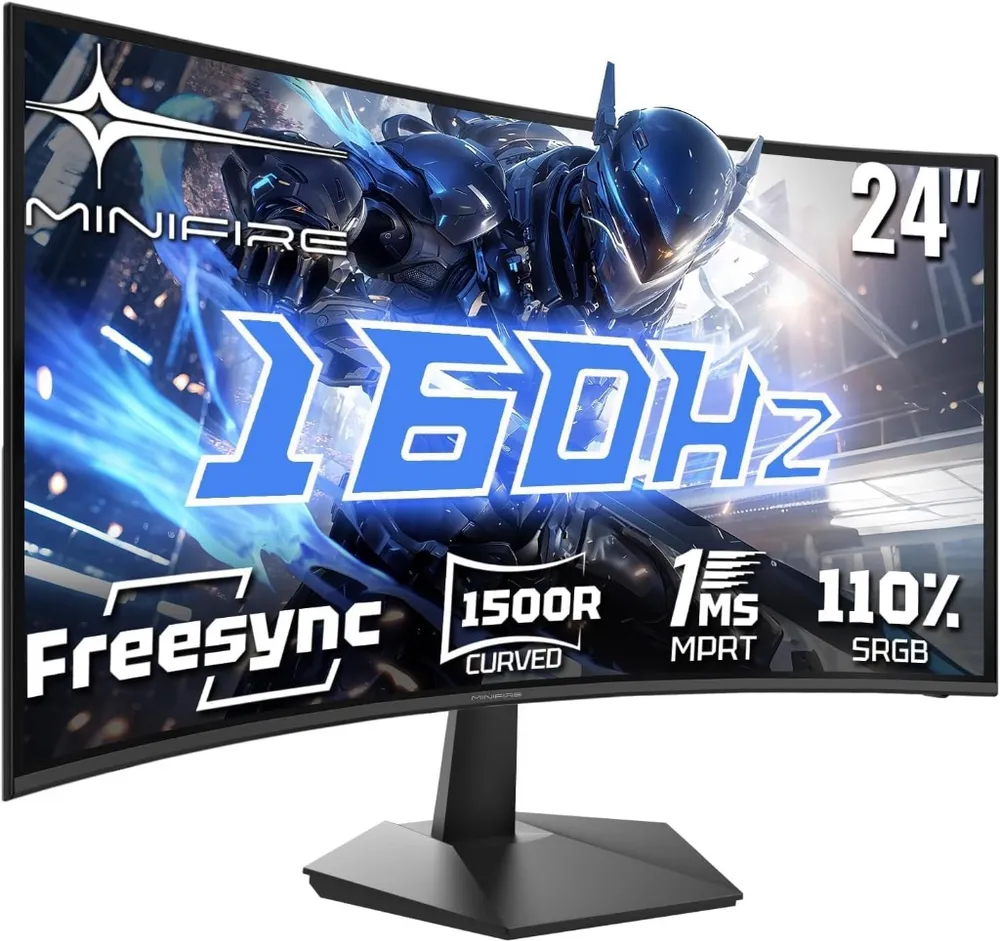
Minifire 24" 160Hz
Minifire
An ultra-accessible entry point into 160Hz gaming. The 1500R curve wraps around your field of view while the 1ms response time keeps motion smooth during fast CS2 counter-strafes.
- Refresh Rate
- 160 Hz
- Response Time
- 1 ms MPRT
- Curvature
- 1500R Curved
- Resolution
- 1920 × 1080 FHD
- 160Hz refresh rate delivers fluid motion for budget FPS setups under €110
- 1500R curvature increases immersion and reduces edge eye-strain during long sessions
Curved panels are less ideal for secondary productivity tasks like spreadsheets

Season 1 · CS2 skin giveaway
CS2 Rifle
M4A1-SBlack Lotus
Field-Tested
One skin, given away every month to subscribers of the YouTube and TikTok channels. Free to enter, no purchase, no gear required.
Claim your ticket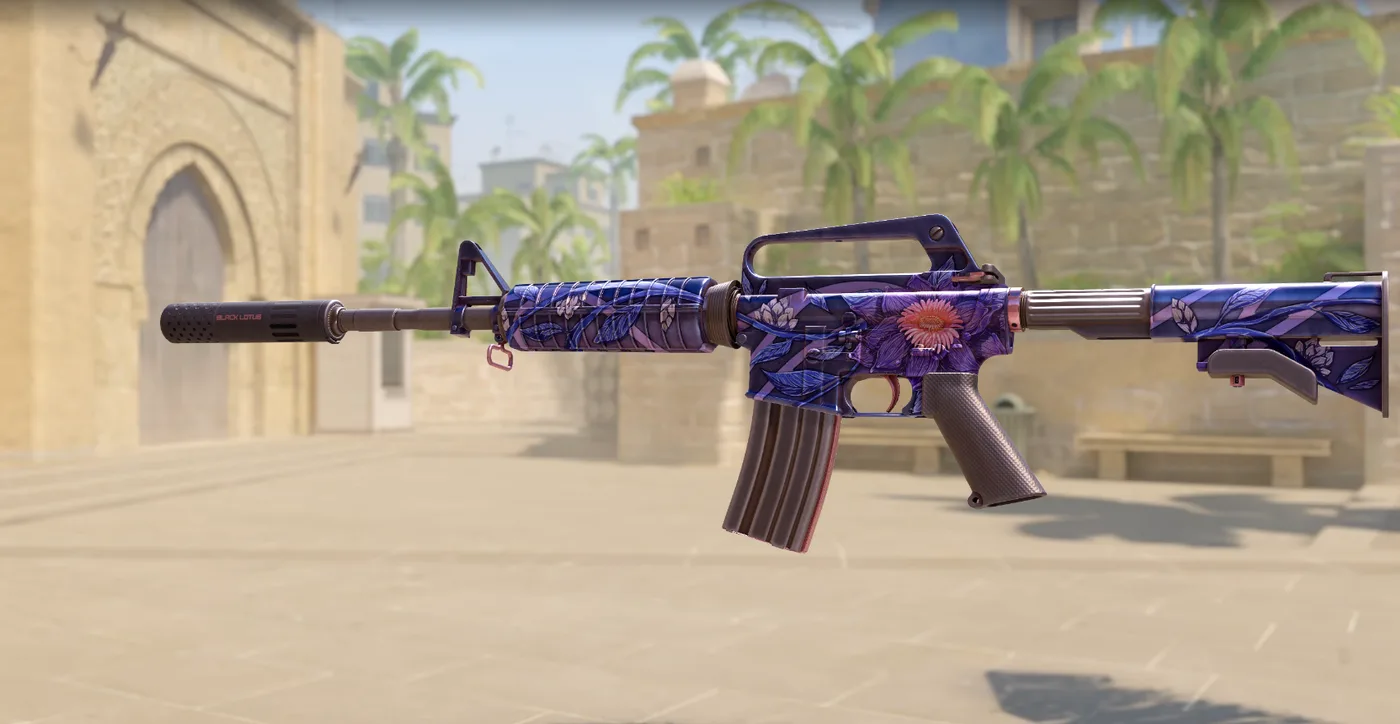
FAQ
Frequently asked
What are the best CS2 launch options in 2026?
The recommended baseline commands are -novid -high -threads [X] +cl_forcepreload 1. Avoid outdated CS:GO commands like -freq or -threads 8 if your CPU uses hybrid architecture.
Does Nvidia Reflex lower input lag in CS2?
Yes, enabling Nvidia Reflex On (or On + Boost) reduces system latency significantly when your GPU usage spikes during heavy smoke and execution executes.
Win a CS2 M4A1-S Black Lotus this month. Free entry for subscribers + daily tickets on Daily Duel.